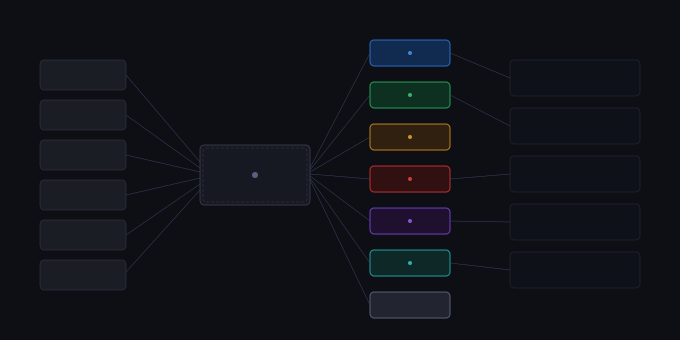
AI systems that produce only free-text output without structure make it difficult to drive consistent UI logic and user guidance. When an AI coaching engine identifies a mix problem and returns a description like "harsh sibilance and excessive brightness above 8kHz", the system needs a way to map that unstructured text to structured categories that inform downstream decisions. Issue categorization solves this by classifying AI diagnosis output into seven defined problem domains: clipping, low_end, dynamics, high_end, mid_range, stereo, loudness, and general.
This classification bridges the gap between what the AI says and what the interface needs to display. Without it, every verdict would be generic, every next-step would be vague, and the coaching experience would lack relevance to the actual problem being addressed.
What issue-categorization reveals (and why it matters)
Issue categorization transforms unstructured AI coaching output into structured problem classification through keyword-based matching. (Source: inputs/articles/issue-categorization/brief.md#Core message) The AI coaching engine analyses a mix and returns findings in natural language. Those findings contain the diagnostic insight, but they do not come pre-tagged with categories. The issue categorization system reads that free-text output, identifies which problem domain it describes, and assigns a category label.
That label drives two critical downstream functions: overall verdict text and next-step guidance. Each of the seven categories has dedicated sentence templates for verdicts and dedicated workflow guidance for next steps. When the system knows a problem is about clipping rather than stereo or dynamics, it can speak directly to that problem rather than falling back to a generic response.
For mix engineers, this means the coaching interface delivers guidance that matches the actual mix issue. A problem with true peak clipping produces a verdict about levels and a next step about limiter settings, not a generic suggestion to "check your mix balance". The categorization layer ensures relevance.
How issue-categorization works: technical methodology
The detectIssueCategory() function performs the classification. (Source: inputs/articles/issue-categorization/brief.md#Key accuracy requirements) It takes the AI-generated issue label and description, concatenates them, converts the combined text to lowercase for case-insensitive matching, and tests the result against a series of regular expression patterns. Each pattern corresponds to one of the seven specific categories.
The patterns check for keywords that indicate problem type. For example, the clipping category looks for terms like "true peak", "distortion", "clipping", and "exceeding ceiling". The dynamics category matches on "compression", "LRA", "transient", "punch", and "over-compression". The low_end category targets "sub", "bass", "low-frequency", "kick", and "rumble".
Patterns are tested in priority order. The first pattern that matches determines the category. If no specific pattern matches, the system assigns the fallback category "general". The resulting category string is passed to the buildVerdict() and getNextStep() functions, which select the appropriate templates.
This is a lightweight classification layer. It does not re-analyse the mix or override the AI diagnosis. It reads what the AI already identified and maps that diagnosis to a structured label. The process is deterministic: the same AI output text always produces the same category assignment.
Interpreting issue-categorization values and outputs
The system produces one of eight possible category values. Seven are specific problem domains, and one is a general fallback. (Source: inputs/articles/issue-categorization/brief.md#Key accuracy requirements)
clipping: Assigned when AI output mentions true peak, distortion, levels exceeding the ceiling, or clipping. Indicates the mix is too loud and signals are exceeding digital headroom. Verdict templates reference levels and dynamic range. Next-step guidance points to limiter adjustment or gain reduction.
low_end: Assigned for problems in the sub-bass and bass frequency ranges. Matches keywords like sub, bass, low-frequency, kick, rumble, and low-end buildup. Verdict templates reference low-frequency balance. Next-step guidance covers high-pass filtering, low-end compression, and sub management.
dynamics: Assigned when the AI identifies compression, dynamic range, transients, or punch issues. Matches on compression, LRA, transient, punch, over-compression, and related terms. Verdict templates address dynamic processing. Next-step guidance covers compression settings, parallel processing, and transient shaping.
high_end: Assigned for brightness, treble, air, and high-frequency issues. Matches on air, brightness, treble, veil, dullness, harshness, sibilance, and frequency terms above 8kHz. Verdict templates reference top-end balance. Next-step guidance covers de-essing, shelving filters, and air band adjustments.
mid_range: Assigned for problems in the 200–500Hz region and general mid-frequency congestion. Matches on mud, nasal, boxy, congestion, mid-range, and muddy. Verdict templates reference mid clarity. Next-step guidance covers mid EQ cuts, vocal positioning, and frequency separation.
stereo: Assigned when the AI identifies width, imaging, phase, or mono compatibility issues. Matches on phase, width, correlation, mono compatibility, stereo, and imaging. Verdict templates reference stereo field. Next-step guidance covers mid-side processing, phase alignment, and width adjustments.
loudness: Assigned when the AI identifies level, LUFS, or loudness targeting problems. Matches on LUFS, loudness, loud, quiet, level, and loudness-related terms. Verdict templates reference target loudness. Next-step guidance covers gain staging and level matching.
general: The fallback category when no specific pattern matches. Produces valid but less specific guidance. Used when AI output describes a problem using unusual phrasing or covers multiple domains without clear keyword matches. Verdict templates are neutral. Next-step guidance is broader and less prescriptive.
The category is not visible to the user in the interface. It is an internal classification used to route the AI finding to the appropriate verdict and next-step template. Users see the resulting verdict text and next-step guidance, not the category label itself.
How issue-categorization integrates with other systems
Issue categorization sits between two pipeline stages. Upstream, the AI coaching engine analyses the mix and produces findings. Downstream, the verdict builder and next-step generator produce user-facing guidance. (Source: inputs/articles/issue-categorization/brief.md#Page structure sections)
The AI coaching engine returns a structured object containing an issue label, a description, and priority metadata. That object does not include a category field. Issue categorization reads the issue and description fields, determines the category, and passes the result to downstream functions.
The buildVerdict() function receives the category and selects the corresponding sentence template. Each category has a dedicated template that speaks to the specific problem domain. For example, the clipping category produces verdicts like "Your mix is exceeding digital headroom with true peak clipping present." The dynamics category produces verdicts like "Dynamic range is limited, with over-compression affecting transient clarity."
The getNextStep() function also receives the category and selects workflow guidance. Each category has dedicated next-step instructions. Clipping produces guidance about limiter settings. Dynamics produces guidance about compression adjustment. Stereo produces guidance about phase checking and width control.
This integration ensures that the guidance users receive aligns with the actual problem the AI identified. The verdict is not generic, and the next step is not a catch-all suggestion. Both are contextually relevant because categorization maps the AI finding to a specific problem domain before the verdict and next-step are generated.
Practical application and workflow
Issue categorization runs automatically whenever the AI coaching engine produces a finding. Mix engineers do not interact with it directly. The categorization happens behind the scenes as part of the coaching pipeline.
When you upload a mix and request AI coaching, the system analyses your track and identifies issues. Each identified issue is passed through the categorization process. The resulting category determines which verdict template and next-step template are used to build the guidance you see in the interface.
If the AI identifies multiple issues, each is categorized separately. A mix with both clipping and low-end problems produces two categorized findings, each with its own verdict and next step. The priority fixes list orders those findings by severity, but categorization ensures that each verdict and next-step speaks to the specific problem rather than blending into generic advice.
The system is most useful when AI output contains clear keywords. If the AI identifies "true peak clipping at 0.2 dBTP", categorization confidently assigns the clipping category. If the AI identifies "phase issues causing mono cancellation", categorization assigns stereo. If the AI identifies "over-compressed, lacking punch", categorization assigns dynamics.
When AI output uses less typical phrasing or describes a problem that does not fit neatly into a single domain, categorization assigns the general fallback. This produces valid guidance, but it is broader and less specific. The general category is a feature, not a flaw: it ensures that every finding receives a verdict and next step, even when keyword matching is ambiguous.
Mix engineers benefit most from understanding that the verdicts and next steps they receive are contextually driven. The guidance is not random or generic. It follows from the AI diagnosis through the categorization layer to the appropriate template. If a verdict feels off-target, it usually means the AI diagnosis itself was unclear or used phrasing that did not match any specific category pattern.
Q: What is issue categorization?
Issue categorization is the classification layer that maps unstructured AI coaching output to one of seven structured problem domains (clipping, low_end, dynamics, high_end, mid_range, stereo, loudness) or a general fallback, enabling relevant verdicts and next-step guidance.
Q: How does issue categorization work?
It concatenates the AI issue label and description, converts the text to lowercase, and tests it against regex patterns in priority order. The first matching pattern determines the category.
Q: How do I interpret issue categorization outputs?
The category is internal to the system and not displayed. You see the resulting verdict and next-step guidance, which are selected based on the assigned category to ensure relevance to the specific problem identified.
Summary and key takeaways
Issue categorization transforms unstructured AI coaching output into seven structured problem categories: clipping, low_end, dynamics, high_end, mid_range, stereo, loudness, and general. This classification layer bridges the gap between free-text AI diagnosis and structured UI logic, ensuring that verdicts and next-step guidance are contextually relevant to the actual mix problem rather than generic. The system uses keyword-based regex matching on AI output text, checks patterns in priority order, and assigns the first match. When no specific pattern matches, the system falls back to the general category, which produces valid but less specific guidance. Each category drives dedicated verdict templates and next-step instructions, making the coaching experience directly applicable to the problem at hand.